Node.js 26 is now LTS: what “Lithium” changes, and when Node.js 22 and 24 run out
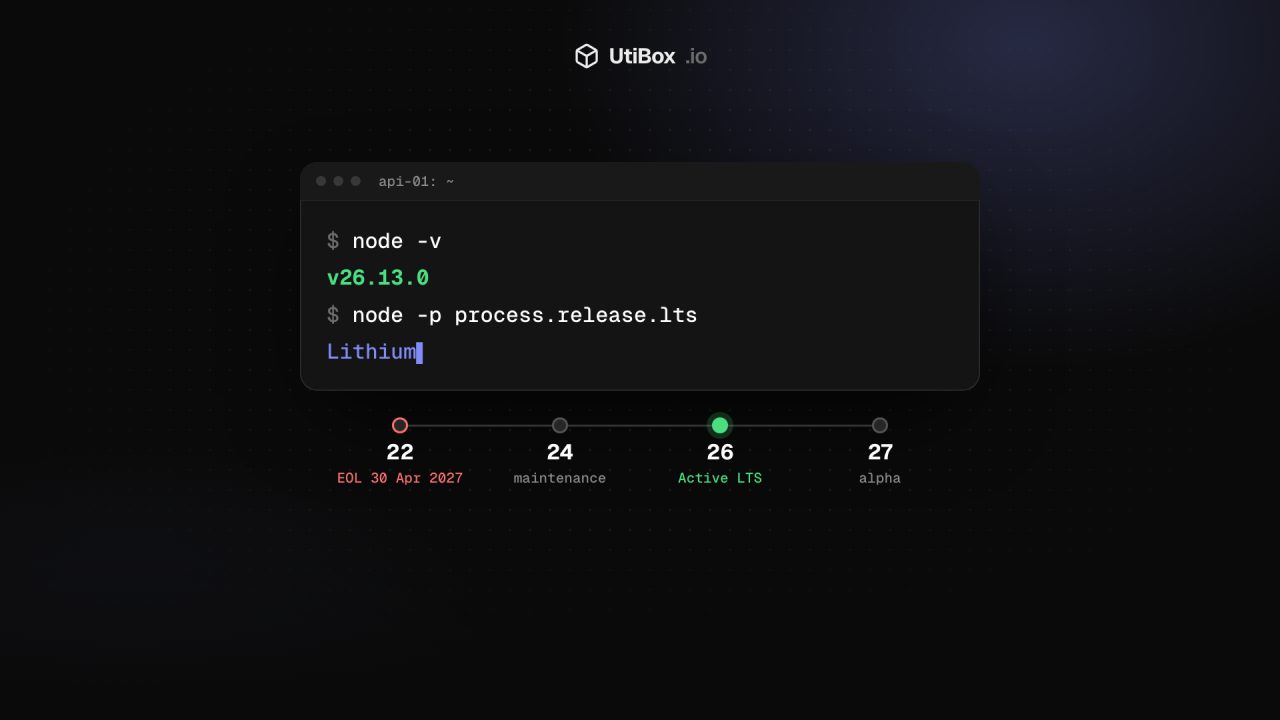
Node.js 26 became the Active LTS line, codename Lithium, on 28 October 2026, with updates until the end of April 2029. Node.js 24 is now in maintenance, Node.js 22 reaches end of life on 30 April 2027, and Docker’s lts tag has already moved.
Illustration: UtiBox
On 28 October 2026 Node.js 26 was promoted to Long Term Support (LTS) under the codename Lithium. Version 26.13.0 marks the switch, and the release notes say the line “will continue to receive updates through to the end of April 2029.”
Most teams run only LTS versions in production. If you’re one of them, Node.js 26 is now the version to plan for.
Where each release line stands
From the Node.js Release Working Group’s schedule:
| Line | Codename | Status | End of life |
|---|---|---|---|
| 26.x | Lithium | Active LTS since 28 Oct 2026, maintenance from 20 Oct 2027 | 30 Apr 2029 |
| 24.x | Krypton | Maintenance LTS since 20 Oct 2026 | 30 Apr 2028 |
| 22.x | Jod | Maintenance LTS | 30 Apr 2027 |
| 27.x | none yet | Alpha | 30 Apr 2030 |
In maintenance, a line gets critical bug fixes and security updates only. Node.js 20 reached end of life on 30 April 2026. If anything still runs it, move that first.
What’s in Node.js 26
Node.js 26.0.0 arrived on 5 May 2026 and spent six months as the “Current” release. The main changes:
- Temporal is on by default. Temporal, a modern and more capable alternative to the old
Dateobject, works without a flag. - V8 14.6, the JavaScript engine from Chromium 146. It adds
Map.prototype.getOrInsert(),getOrInsertComputed()andIterator.concat(). - Undici 8.0, an update to the library behind Node’s built-in HTTP client.
Things that can break when you move from 22 or 24:
- The old
writeHeader()alias has been removed from the HTTP module. UsewriteHead(). - The legacy
_stream_readable,_stream_writable,_stream_duplex,_stream_transform,_stream_passthroughand_stream_wrapmodules have been removed. Old dependencies sometimes import these directly. module.register()now prints a runtime deprecation warning, and the--experimental-transform-typesflag has gone.- On Linux, the official binaries have been linked against
libatomicsince Node.js 25. The LTS release notes warn that you may need to install it separately, depending on your distribution. Minimal servers and slim container images are where this tends to show up.
Docker’s floating tags now mean Node.js 26
In the Docker official images, node:lts, node:latest and node:current, plus their -slim, -alpine and Debian variants, now point to Node.js 26.13.0. If a Dockerfile uses one of those tags, the next rebuild quietly moves you to a new major version.
Pin the major version and upgrade when you choose to:
FROM node:24-slim    # stay on 24 until your tests pass on 26
FROM node:26-slim    # then switch deliberately
A new yearly rhythm from Node.js 27
Node.js 26 is the last line released under the old model, with two major versions a year and only the even-numbered ones becoming LTS. From Node.js 27 there is one major version a year, and every line becomes LTS:
- Alpha builds start in October. The first Node.js 27 alpha was published on 29 October 2026. Alphas can contain breaking changes and are meant for library authors and CI pipelines, not production.
- Node.js 27.0.0 is due in April 2027, should enter LTS in October 2027 and reaches end of life on 30 April 2030.
- Version numbers now follow the calendar year of the first Current release: 27 in 2027, 28 in 2028.
If you maintain a library, the project recommends adding the alpha releases to your CI as early as you can.
What to do
- Take stock. Run
node -von every server, and check your CI images and the runtime settings of any serverless functions. - Patch first. Install the 11 November security release for your current line before planning anything bigger.
- On Node.js 22, plan the move now. It reaches end of life on 30 April 2027, less than six months away. Going straight to 26 gives you the longest runway.
- Upgrade on a branch. With nvm, for example, run
nvm install 26, then your full test suite. Run your app withnode --trace-deprecationto find out where warnings come from. - Pin Docker tags to a major version, as shown above.
- Check after you deploy. Make sure the site answers normally with our HTTP Status Checker, and compare server response times before and after with the Response Time Test.
Check your site after the upgrade
Sources
- Node.js 26.13.0 “Lithium” (LTS) release notes, 28 October 2026 (opens in a new tab)
- Node.js blog: Node.js 26.13.0 (LTS) (opens in a new tab)
- Node.js blog: Node.js 26.0.0 (Current) (opens in a new tab)
- Node.js Release Working Group: release schedule (opens in a new tab)
- Node.js blog: Evolving the Node.js Release Schedule (opens in a new tab)
- Node.js blog: Wednesday, November 11, 2026 Security Releases (opens in a new tab)
- Node.js release index (dist/index.json) (opens in a new tab)
- Docker official images: node tag list (opens in a new tab)
Related


More from News

Apple services disrupted on November 17: what happened to iCloud, the App Store and Apple Music?
An internal update knocked out iCloud sign-in, the App Store, Apple Music and more on Tuesday, 17 November. Apple says it wasn’t a cyberattack, and its status page showed everything resolved by 6…

N-able Mail Assure and SpamExperts security incident: what customers should know
N-able says someone gained unauthorized access to one server in its Mail Assure and SpamExperts Hosted Cloud. Mail flow and filtering continue; dashboards, the API and quarantine are offline while…

Chrome adds Global Privacy Control: what Sec-GPC means for your site
Chrome 157 lets users in California send an opt-out request to every site they visit, as a Sec-GPC header. If your site sells or shares personal data for advertising, here’s what the signal is,…


