Chrome adds Global Privacy Control: what Sec-GPC means for your site
Chrome 157 lets users in California send an opt-out request to every site they visit, as a Sec-GPC header. If your site sells or shares personal data for advertising, here’s what the signal is, what California’s regulator expects and how to handle it.
Illustration: UtiBox
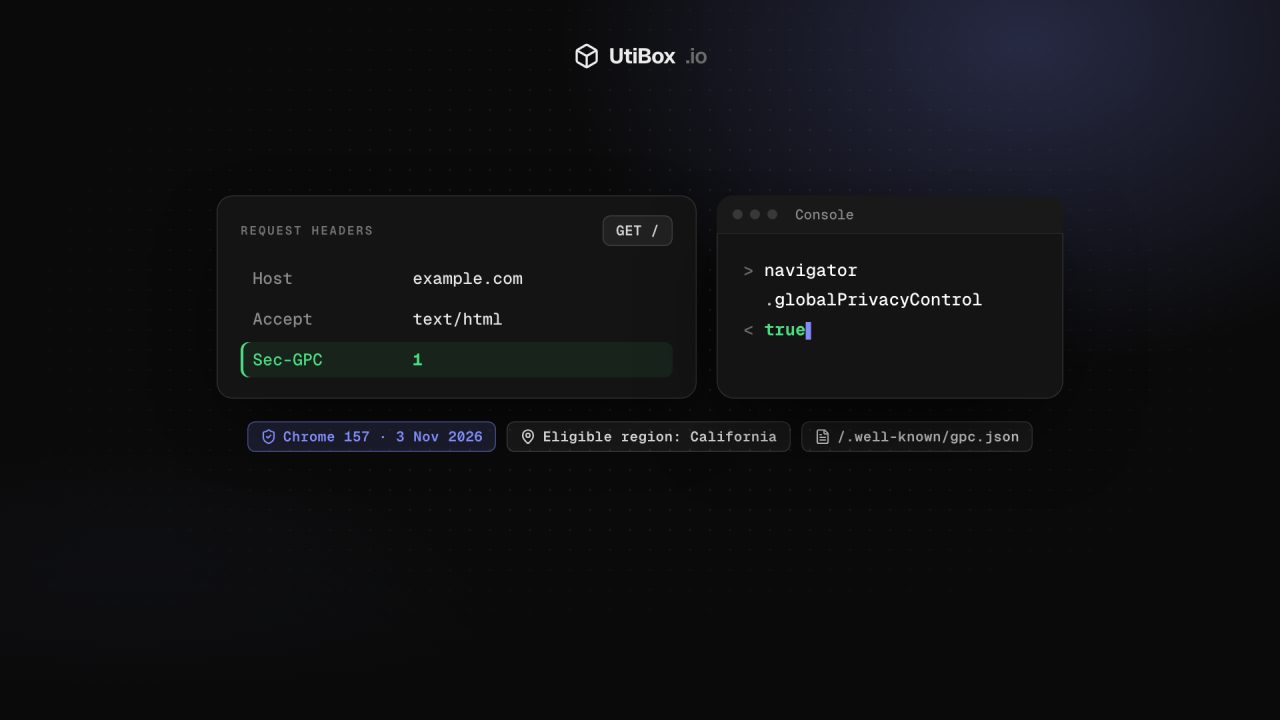
Chrome has a new privacy setting, and it changes the requests your server receives. From Chrome 157, which Google promoted to the Stable channel on 3 November 2026, eligible users can turn on “Send an opt-out request to sites regarding use of your data”. When they do, Chrome adds this header to their requests:
Sec-GPC: 1It also sets navigator.globalPrivacyControl to true for scripts on the page. Both come from Global Privacy Control (GPC), a draft standard at the W3C. For some businesses, receiving that signal comes with legal obligations.
Who gets the setting
Google’s help page lists one eligible region so far: California. It says Chrome decides residency per browser profile, that a VPN or a recent move can stop the setting appearing, and that the feature is still rolling out. On a computer, it’s under Settings → Privacy and security → Third-party cookies & site data, in the “Site requests” section. Users have to switch it on.
Google’s wording about what happens next is careful: “The sites you visit, including Google, determine how to respond to opt-out requests.” It adds that this is separate from Chrome’s older “Do Not Track” setting.
What the signal means under California law
California’s privacy regulator, the California Privacy Protection Agency (CPPA), calls these “opt-out preference signals” and gives GPC as its example. Its guidance for businesses says you must treat such a signal as a valid request to opt out of the sale or sharing of personal information if you answer yes to all three questions:
- Are you a “business” that must comply with the CCPA?
- Do you collect personal information from consumers online?
- Do you sell or share personal information?
Here “share” has a specific meaning: making personal information available to a third party for cross-context behavioural advertising.
If all three apply, the CPPA says you must stop selling and sharing personal information linked to that browser or device, to any profile tied to it (including pseudonymous ones), and to the person if you know who they are, for example because they’re logged in. That has to happen “as soon as feasibly possible, but no later than 15 business days after receiving the request.” If the signal conflicts with a setting the person chose on your site, the signal still wins, although you may ask them whether they want to opt back in.
What to do as a developer
Start with a question for whoever owns your advertising and analytics tags: do any of them sell or share data in the CCPA sense? If the answer is clearly no, the signal may not require anything from you. If it’s yes, or you aren’t sure:
1. Read the signal on both sides. On the server, look for the request header. The W3C draft says a server must ignore the header unless its value is exactly 1:
$gpc = ($_SERVER['HTTP_SEC_GPC'] ?? '') === '1';In the browser:
if (navigator.globalPrivacyControl === true) {
  // don't load tags that sell or share data for this visitor
}
2. Connect it to your consent tool. If you use a consent management platform, check whether it reads GPC, and which tags it actually blocks when it does. Confirm in your browser’s network panel that those tags stop loading.
3. Mind your caches. If your server sends different HTML depending on Sec-GPC, send Vary: Sec-GPC too, or a cache or CDN could serve one visitor’s version to another. If you only act on the signal in JavaScript, the cached HTML can stay the same for everyone.
4. Consider the “frictionless” option. The CPPA describes a way to respond that it calls frictionless: no fee, no change to the visitor’s experience, and no notification, pop-up or interstitial shown because of the signal (displaying the visitor’s opt-out status is allowed). A business that responds this way doesn’t have to post the “Do Not Sell or Share My Personal Information” link.
5. Say that you honour it. The W3C draft defines an optional file at /.well-known/gpc.json:
{ "gpc": true, "lastUpdate": "2026-11-20" }"gpc": true states that you intend to honour GPC requests at least as far as the law requires, and lastUpdate records when you said so. Serve it as application/json. The HTTP Status Checker shows the status code and Content-Type your server returns for that address.
Testing without a California profile
You can send the header yourself and compare the responses:
curl -sI https://example.com/
curl -sI -H 'Sec-GPC: 1' https://example.com/
Check that any server-side change happens, that Vary is set if the HTML differs, and that the tags you mean to block don’t load. For the JavaScript side, test in Chrome once the setting is available to you, or force your detection code to true in a test build.
GPC is still a W3C Working Draft (the latest version is dated 24 September 2026), so details can change. The header and the JavaScript property are what Chrome sends now.
Sources
- Chrome Platform Status: Global Privacy Control in Chrome (opens in a new tab)
- Google Chrome Help: Send an opt-out request regarding use of your data (opens in a new tab)
- Chrome Releases: Stable Channel Update for Desktop, Chrome 157 (3 November 2026) (opens in a new tab)
- W3C: Global Privacy Control (GPC), Working Draft, 24 September 2026 (opens in a new tab)
- California Privacy Protection Agency: What Is OOPS And How Does A Business Respond? (PDF) (opens in a new tab)
Related


More from News

Node.js 26 is now LTS: what “Lithium” changes, and when Node.js 22 and 24 run out
Node.js 26 became the Active LTS line, codename Lithium, on 28 October 2026, with updates until the end of April 2029. Node.js 24 is now in maintenance, Node.js 22 reaches end of life on 30 April…

Apple services disrupted on November 17: what happened to iCloud, the App Store and Apple Music?
An internal update knocked out iCloud sign-in, the App Store, Apple Music and more on Tuesday, 17 November. Apple says it wasn’t a cyberattack, and its status page showed everything resolved by 6…

N-able Mail Assure and SpamExperts security incident: what customers should know
N-able says someone gained unauthorized access to one server in its Mail Assure and SpamExperts Hosted Cloud. Mail flow and filtering continue; dashboards, the API and quarantine are offline while…


