Chrome 158 turns off XSLT on 17 November: check your sitemaps and feeds
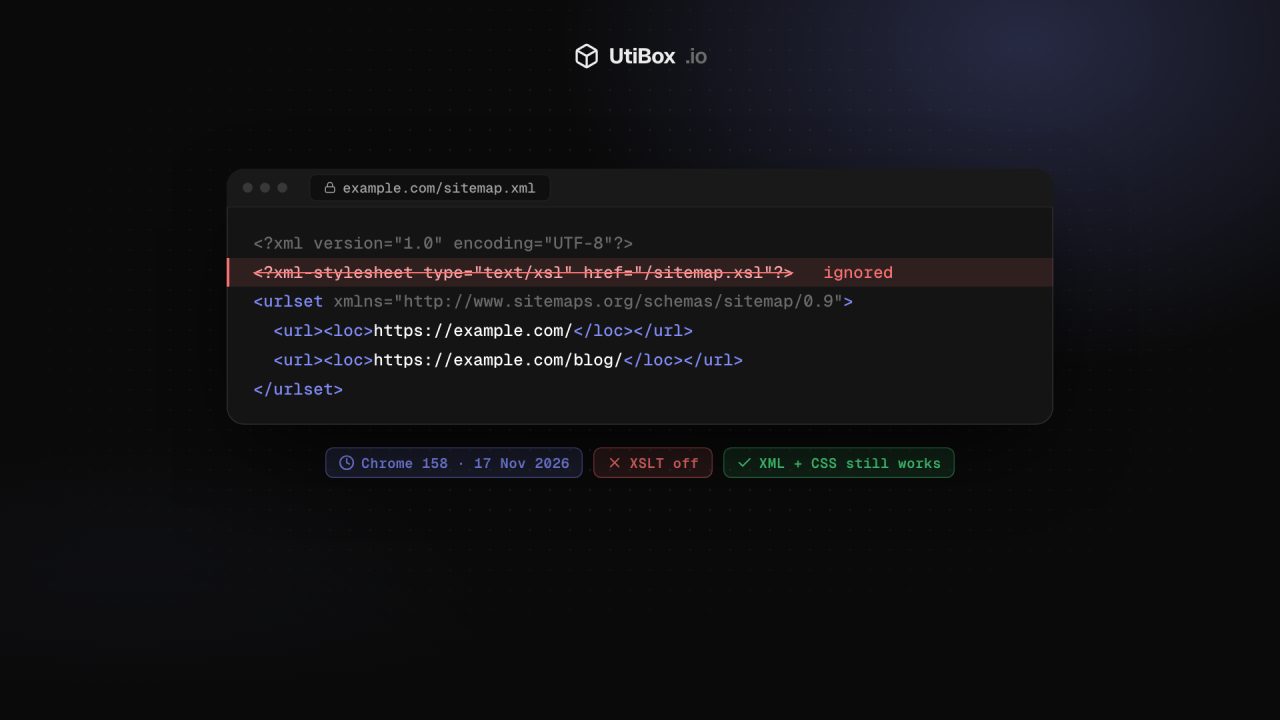
From Chrome 158, due on 17 November 2026, the browser stops applying XSLT stylesheets. Styled XML sitemaps and RSS feeds will appear as raw XML. Here’s who is affected, what keeps working and the fixes Google suggests.
Illustration: UtiBox
If your XML sitemap or RSS feed looks like a neat web page when you open it in a browser, it is probably using XSLT. In Chrome 158, which Google scheduled for the Stable channel on 17 November 2026, that stops working. Google’s platform status entry puts it plainly:
XSLT stops functioning on Stable releases, for all users other than Origin Trial and enterprise policy participants.
Chrome Platform Status, “Deprecate and remove XSLT”
Most sites won’t notice. The ones that will are sites with styled XML files that people actually open in a browser, and the few web apps that transform XML in JavaScript.
What exactly is being removed
Two ways of running XSLT in the browser:
- The XSLT processing instruction at the top of an XML file, such as
<?xml-stylesheet type="text/xsl" href="sitemap.xsl"?>. It tells the browser to turn the XML into an HTML page using that stylesheet. - The
XSLTProcessorJavaScript API (new XSLTProcessor()), which does the same from a script.
Google’s reason is security. Chrome uses the libxslt library for this, which its migration guide describes as a complex, ageing C codebase, adding that XSLT “is the source of several recent high-profile security exploits”. The guide also says the Firefox and WebKit projects “have also indicated plans to remove XSLT” from their engines, so this isn’t only a Chrome change.
What keeps working
- XML itself. Google is removing XSLT, not XML support.
- XML styled with CSS.
<?xml-stylesheet type="text/css" href="styles.css"?>stays supported. - The data in your files. The stylesheet line is an instruction for browsers only. The URLs in your sitemap and the items in your feed don’t change, so a sitemap that was valid before stays valid.
What changes is what a person sees. Someone who opens a styled sitemap or feed in Chrome 158 gets raw XML. Google says Chrome also shows a warning banner that links to a search for an extension that restores XSLT.
Who should check
- WordPress sites. WordPress’s built-in sitemaps (
/wp-sitemap.xml) ship with an XSL stylesheet. On 3 October 2026 the project removed it for version 7.2, noting that “for sites including an XSL stylesheet, the display of the XML sitemaps may fail.” WordPress 7.2 is scheduled for 8 December, so until then sites on 7.1 will show plain XML in Chrome 158. That’s cosmetic. - Plugins and generators that add an
xml-stylesheetline withtype="text/xsl"to sitemaps or feeds. - Hand-built XML meant for people: product and podcast feeds, data exports, status pages served by devices on a local network.
- Web apps that call
XSLTProcessor.
The quickest test is to look at the start of the file:
curl -s https://example.com/sitemap.xml | head -c 300If you see xml-stylesheet with type="text/xsl", that file is affected. For scripts, search your code for XSLTProcessor. Google also suggests a ReportingObserver that catches real visitors hitting the deprecation:
new ReportingObserver((reports) => {
  reports.forEach((report) => {
    if (report.body.id === "XSLT") {
      // XSLT was used on this page: send it to your logs
    }
  });
}, { types: ["deprecation"], buffered: true }).observe();
Your options
For sitemaps, often nothing. If the stylesheet only made the file prettier for the occasional human, raw XML is fine. You can drop the stylesheet line to keep things simple.
For RSS and Atom feeds, Google recommends the HTML route: advertise the feed in your pages with <link rel="alternate" type="application/rss+xml" href="/feed.xml">. Feed readers find it from your homepage, and fewer people end up clicking a raw XML link by mistake.
To keep the styled view, Google points to a polyfill that runs XSLT 1.0 in WebAssembly. For an XML file, you add one line just inside the root element:
<script src="xslt-polyfill.min.js" xmlns="http://www.w3.org/1999/xhtml"></script>Google says this shouldn’t affect feed readers’ ability to parse the XML, because the script element is a direct child of the root. Host the file yourself and test it in more than one feed reader.
For apps, Google’s longer-term advice is to do the transformation on the server and send HTML, or move the data to JSON and render it with JavaScript. The same polyfill can stand in for XSLTProcessor in existing code while you migrate.
If you need more time, a deprecation origin trial keeps XSLT working on your origin until Chrome 176, which Google’s guide dates to 17 August 2027. Managed browsers have an enterprise policy, XSLTEnabled, with the same end date. After that, XSLT is gone for everyone.
How to test
Chrome Beta has been on version 158 since 28 October, and on 4 November Google began an “early stable” rollout of Chrome 158 to a small percentage of Windows users, with Mac to follow. So some visitors may see the change even before 17 November, and every up-to-date Chrome will after it. Open your sitemaps and feeds in Chrome 158 (or Chrome Beta) and look at what a visitor gets. Then run each sitemap through our Sitemap Validator: it reads the XML directly, without the stylesheet, and checks the entries against the sitemaps.org rules, so you can confirm the file search engines read is still sound.
Sources
- Chrome Platform Status: Deprecate and remove XSLT (opens in a new tab)
- Chrome for Developers: Removing XSLT for a more secure browser (opens in a new tab)
- Chromium Dash: Chrome release schedule (Chrome 158 stable on 17 November 2026) (opens in a new tab)
- Chrome for Developers: Chrome 158 beta (28 October 2026) (opens in a new tab)
- Chrome Releases: Early Stable Update for Desktop, Chrome 158 (4 November 2026) (opens in a new tab)
- WordPress: “Sitemaps: Remove XSL stylesheets” (commit, 3 October 2026) (opens in a new tab)
- WordPress 7.2 release party schedule (opens in a new tab)
- XSLT polyfill (linked from the Chrome Platform Status entry) (opens in a new tab)


