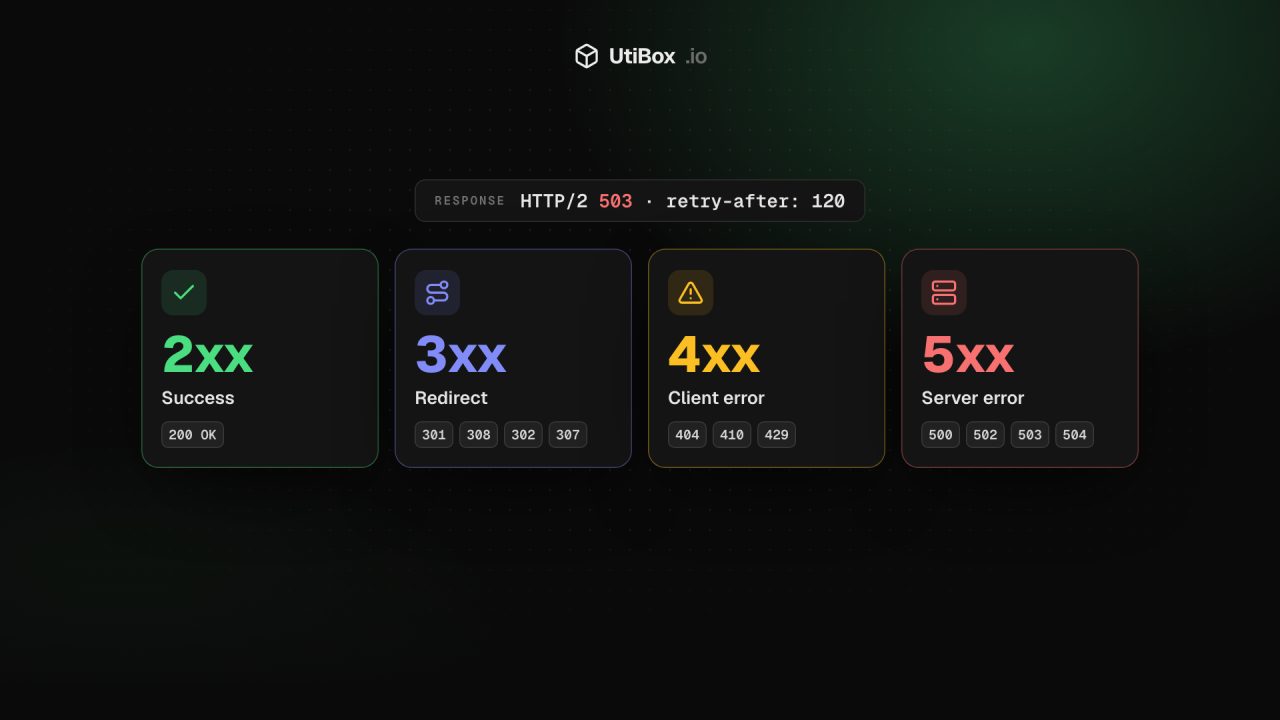
HTTP status codes explained for site owners: 2xx, 3xx, 4xx and 5xx
Every response starts with a three-digit code that browsers mostly hide but search engines and uptime monitors read first. Here’s what each family means, how Google’s crawlers treat them, and what to check after a change.
Illustration: UtiBox
Before a server sends a single byte of your page, it sends a three-digit status code. Browsers hide it, but search engine crawlers and uptime monitors read it first and act on it. A page can look perfect and still send the wrong code.
The five families
The first digit is what matters most. RFC 9110 (opens in a new tab), the HTTP standard, defines five classes:
- 1xx (Informational): “The request was received, continuing process”
- 2xx (Successful): “The request was successfully received, understood, and accepted”
- 3xx (Redirection): “Further action needs to be taken in order to complete the request”
- 4xx (Client Error): “The request contains bad syntax or cannot be fulfilled”
- 5xx (Server Error): “The server failed to fulfill an apparently valid request”
You’ll rarely meet 1xx; the other four cover almost everything a site owner sees.
How to see the real code
Paste a URL into the HTTP Status Checker and press Check status. We request the page from our server and show the code with a plain-language meaning, the response headers that are safe to display (such as Server, Content-Type, Cache-Control, Location and Retry-After; cookie values are always hidden), the protocol, the server’s IP address, and a timing split into DNS lookup, connection and first byte.
Leave Follow redirects off to see the first response only, or tick it to follow up to five redirects and see each hop’s code. If no code comes back at all, the connection failed before any answer arrived, and the result says why, for example a timeout or a refused connection.
2xx: success, if it’s real
200 OK is the normal answer for a working page. For search, Google’s documentation on status codes (opens in a new tab) says a 2xx code “doesn’t guarantee indexing”, only that the content is considered.
The trap is the soft 404: an error or empty page sent with a 200. Google says that if the content “suggests an error”, such as “an empty page or an error message, Search Console will show a soft 404 error.” Test it yourself: check an address that can’t exist, such as https://www.example.com/no-such-page-xyz. If it answers 200, your “not found” page needs to return a real 404.
3xx: redirects
- 301 and 308 are permanent. Google treats them as a “strong signal that the redirect target should be processed”.
- 302 and 307 are temporary. Google treats them as a “weak signal”.
- The difference within each pair is the request method. RFC 9110 lets a browser turn a form POST into a GET after a 301 or 302 “for historical reasons”; 307 and 308 are the versions for when that isn’t wanted.
- 304 Not Modified means the copy the client already holds is still current, so nothing new is sent.
Google’s crawlers follow up to 10 redirect hops by default. To see every hop in a chain and what to fix, use the Redirect Checker.
4xx: the request can’t be served
- 404 Not Found doesn’t say whether the page is gone for good. RFC 9110 says 410 Gone “is preferred over 404 if the origin server knows” the condition is likely to be permanent.
- For Google, they work the same. “All 4xx errors, except 429, are treated the same”: pages that return them aren’t indexed, and pages already indexed are removed. Choose 410 when a removal is deliberate because it says more, but don’t expect Google to treat it differently.
- 401 and 403 mean sign-in required and access refused. Google says not to use them to slow its crawlers down. If our checker gets a 403 for a page that opens fine in your browser, bot protection has probably refused our automated request.
- 429 Too Many Requests is rate limiting, defined in RFC 6585 (opens in a new tab). Google’s crawlers treat it “as a signal that the server is overloaded, and it’s considered a server error.”
5xx: the server failed
- 500 Internal Server Error: the application hit “an unexpected condition”. Start with your error logs.
- 502 Bad Gateway: a proxy, CDN or web server got an invalid response from the application behind it.
- 503 Service Unavailable: a temporary overload or planned maintenance. The server can send a
Retry-Afterheader saying when to try again. - 504 Gateway Timeout: the proxy waited too long for the application behind it.
Google says 5xx errors, and 429, “prompt Google’s crawlers to temporarily slow down with crawling.” Pages already indexed are kept for a while, “but eventually dropped” if the errors persist. Once the server returns 2xx again, Google gradually increases the crawl rate.
For planned maintenance, send a 503, ideally with Retry-After, rather than a maintenance page with a 200. The 503 says the outage is temporary; a 200 says the maintenance notice is the page. If you’re dealing with an outage right now, our layer-by-layer troubleshooting guide covers the usual causes of 500, 502, 503 and 504.
What to check after a change
| Situation | You want to see |
|---|---|
| A page you moved | 301 or 308, pointing at the new address |
| A page you deleted for good | 410 or 404, not a 200 “sorry” page |
| A made-up address on your site | 404 |
| Your home page and top pages | 200, quickly |
| Planned maintenance | 503 with Retry-After |
Run these after a redesign, a CMS migration or a move to a new domain. The checks run from our server in one location, so they show what a visitor or crawler there would get.
Related


More from Guides

How to compare two versions of a text, config file or code, and read the diff
“What changed?” is hard to answer by eye. Here’s how a diff works, when to compare line by line or word by word, and how to read the results in the Diff Checker and Text Compare.

UUIDs explained: v4 vs v7, and when to use them as database IDs
A UUID is a 128-bit ID anyone can create without asking a central server. Here’s how to read one, the difference between random version 4 and time-ordered version 7, and when a UUID is the right…

Base64 vs URL encoding: what each is for, and the mistakes that break things
Base64 and URL encoding both turn data into “safe” characters, but they solve different problems, and neither hides anything. Here’s when to use each, why Base64 isn’t encryption, and the mistakes…


