OutageAlerts
Microsoft 365 outage: Exchange Online, Teams and SharePoint among services hit
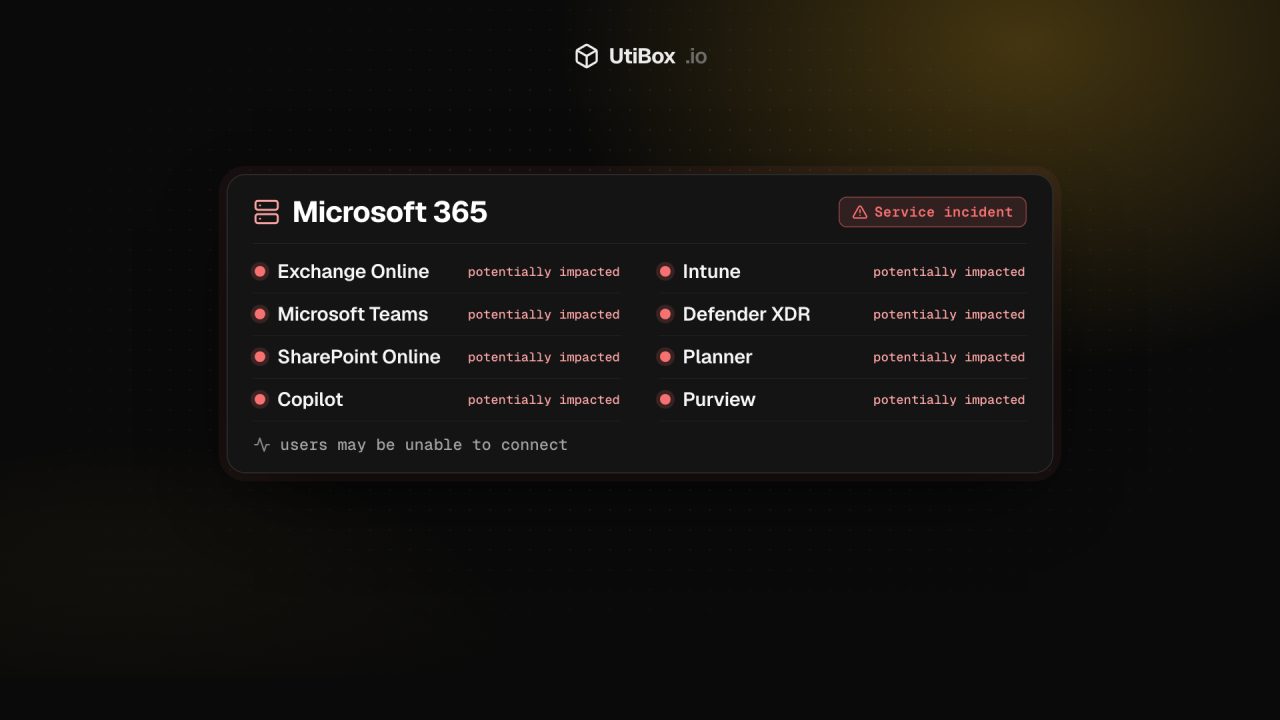
Microsoft says users may be unable to connect to multiple Microsoft 365 services, including Exchange Online, Teams and SharePoint Online. Servers it returns to service are going unresponsive again under traffic. Here is what Microsoft has said, which services it lists and what you can do.
Illustration: UtiBox
Outage
OngoingMicrosoft 365: users may be unable to connect to Exchange Online, Teams, SharePoint and other services. Microsoft is working on a fix.
- Affects
- MMicrosoft 365
- Last check
- Up · 841 ms9 min ago
- Provider says
- Outage reportedMicrosoft 365 status
- Posted
- Ends
- Not known yet
What Microsoft says
Microsoft is posting updates on its public service health page, status.cloud.microsoft, which anyone can read without signing in. Its summary of the impact is one line:
Users may be unable to connect to multiple Microsoft 365 services.
Microsoft service health status
On scope, Microsoft says the issue “may affect users attempting to access the affected Microsoft 365 services.” The update doesn’t give a cause, a start time or a list of affected regions, so we don’t either.
Which services are affected
Microsoft lists these as potentially impacted. Names are as Microsoft writes them.
| Service | What Microsoft says |
|---|---|
| Exchange Online | Listed as potentially impacted (email for work and school accounts, including in Outlook) |
| Microsoft Teams | Listed as potentially impacted |
| SharePoint Online | Listed as potentially impacted |
| Microsoft Copilot 365 | Listed as potentially impacted |
| Microsoft Defender XDR | Listed as potentially impacted |
| Microsoft Planner | Listed as potentially impacted |
| Microsoft To Do | Listed as potentially impacted |
| Microsoft Intune | Listed as potentially impacted |
| Microsoft Defender for Office 365 | Listed as potentially impacted |
| Microsoft Purview | Authorization, Auto Labelling, Data Loss Prevention (DLP), Communication Compliance and Data Classification are impacted |
| Power BI | Users may intermittently be unable to export reports with MIP sensitivity labels to PDF |
| Microsoft 365 Apps Admin Center | Cloud Update, Cloud Policy and Inventory |
| Universal Print | Errors submitting print jobs or using admin features |
| Windows 365 | Tenants using Microsoft Purview Customer Key for Cloud PCs may have users who can’t connect to their Cloud PCs |
Where the fix stands
In its latest update, Microsoft says the servers it has returned to service “initially remain healthy”, but “they can become unresponsive again once they begin receiving traffic.” It is analysing diagnostic data from those servers with its networking and platform experts to work out what triggers this. Two things are under way:
- Limiting traffic. On top of the protective traffic management already in place, Microsoft is temporarily limiting which types of traffic can reach the affected infrastructure in specific locations. That should show whether a particular type of request is contributing, and let it restore service step by step.
- Rolling back a configuration. Microsoft is rebuilding a subset of affected servers with a previous software configuration to check whether that stops them becoming unresponsive. If it works, it will extend that to more servers.
The update before that said Microsoft had begun returning a portion of the affected servers to service, had shifted traffic and connections to alternative pathways where possible, and had seen “limited recovery in some regions”. It also warned that “users may experience a gradual recovery as their clients reconnect to the service.”
Microsoft’s next update was due by 01:30 UTC on 13 November (8:30 pm Eastern on 12 November).
What you can do now
- Go by Microsoft’s own page. status.cloud.microsoft is public. Administrators can also check Service health in the Microsoft 365 admin center, if it loads.
- Don’t try to fix it on your side. The problem is in Microsoft’s service. Resetting passwords, reinstalling Office or clearing caches won’t bring it back, and can leave you with more to undo afterwards. Microsoft expects clients to recover as they reconnect, so leaving Outlook and Teams open is fine.
- Use what’s already on your device. Mail that Outlook for desktop has already downloaded, and files already synced to your computer, normally stay readable while the service is down.
- Switch urgent conversations to another channel. Phone, text or another chat tool for anything that can’t wait. If your business email is affected, tell customers on your website or social accounts.
- Be wary of “re-verify your account” messages. An outage is a handy story for phishing. Don’t sign in through links in emails or texts that claim to restore your access. Go to Microsoft’s pages directly.
Following it on UtiBox
Our Microsoft 365 status page carries this alert while the incident is open, with a link to Microsoft’s status page. One thing to know: our own check loads microsoft365.com from our server. That page can answer normally while signed-in services such as Exchange Online and Teams are failing, so for this incident go by Microsoft’s notices rather than our green dot.
To get an email when a major outage is confirmed, and again when it’s over, subscribe to the Outage Digest.
Microsoft 365 status on UtiBox
Sources
Related


More from Alerts

WarningAlerts
“sshole”: any long password logs in to some Alpine and musl SSH servers
On musl-based systems such as Alpine Linux, OpenSSH without PAM could accept any password longer than 256 characters for accounts that have no password set. Update OpenSSH to 10.6p2 (or Alpine’s…

WarningAlerts
Patch PHP now: the “php2shell” flaws are under active attack
Two remote code execution bugs in PHP itself, CVE-2026-109618 and CVE-2026-109619, are on CISA’s list of exploited vulnerabilities. Update to PHP 8.5.12, 8.4.27, 8.3.36 or 8.2.35, then restart PHP.

WarningAlerts
Ivanti Connect Secure zero-days gave attackers root on VPN gateways
Attackers chained three Ivanti Connect Secure flaws to get root on VPN appliances without logging in, starting on 3 October. The 13 October update doesn’t fix two of them. Update to 25.1.1.3 or…


