How to write titles and meta descriptions that fit Google’s search results
Google cuts titles and snippets to fit the screen, and sometimes writes its own. Here’s what Google’s documentation actually says, and how to draft, count and check yours before and after a page goes live.
Illustration: UtiBox
You search for your page and the result isn’t what you wrote. The title ends in “…”, or the text underneath comes from the middle of the page instead of your meta description. Both are normal, and both are partly in your control.
Here’s what Google’s own documentation says, and how to draft, measure and check your wording with three free tools.
What Google says about titles
Google calls the clickable headline of a result the title link. Its title link documentation (opens in a new tab) makes three points:
- There’s no length limit, but there is a cut. “While there’s no limit on how long a
<title>element can be, the title link is truncated in Google Search results as needed, typically to fit the device width.” - Your
<title>is one source among several. Google also uses the main visual title, headings such as<h1>,og:title, other prominent text, anchor text, links to the page andWebSitestructured data. - Google may write its own. If it detects a problem, such as a half-empty, obsolete or inaccurate title, or repeated boilerplate, it may generate a better one from other text.
Its best practices: give every page a <title>; make it descriptive and concise (not just “Home”); avoid keyword stuffing and boilerplate; brand concisely, such as the site name at one end after a hyphen, colon or pipe; and make the main title the most prominent text on the page, for example in the first visible <h1>.
What Google says about descriptions
The text under the title is the snippet. Google’s snippet documentation (opens in a new tab) says snippets are “primarily created from the page content itself”, and that Google “sometimes uses the meta description HTML element if it might give users a more accurate description of the page than content taken directly from the page.” It can show different snippets for different searches. On length, the rule mirrors titles: “There’s no limit on how long a meta description can be, but the snippet is truncated in Google Search results as needed, typically to fit the device width.”
It asks for:
- A unique description for each page. Identical or similar descriptions across a site “aren’t helpful when individual pages appear in search results.”
- Relevant facts, such as an article’s author and date, or a product’s price.
- Readable text. Generated descriptions should be human-readable and varied; long strings of keywords “are less likely to be displayed as a snippet.”
Step 1: Draft in the SERP Preview
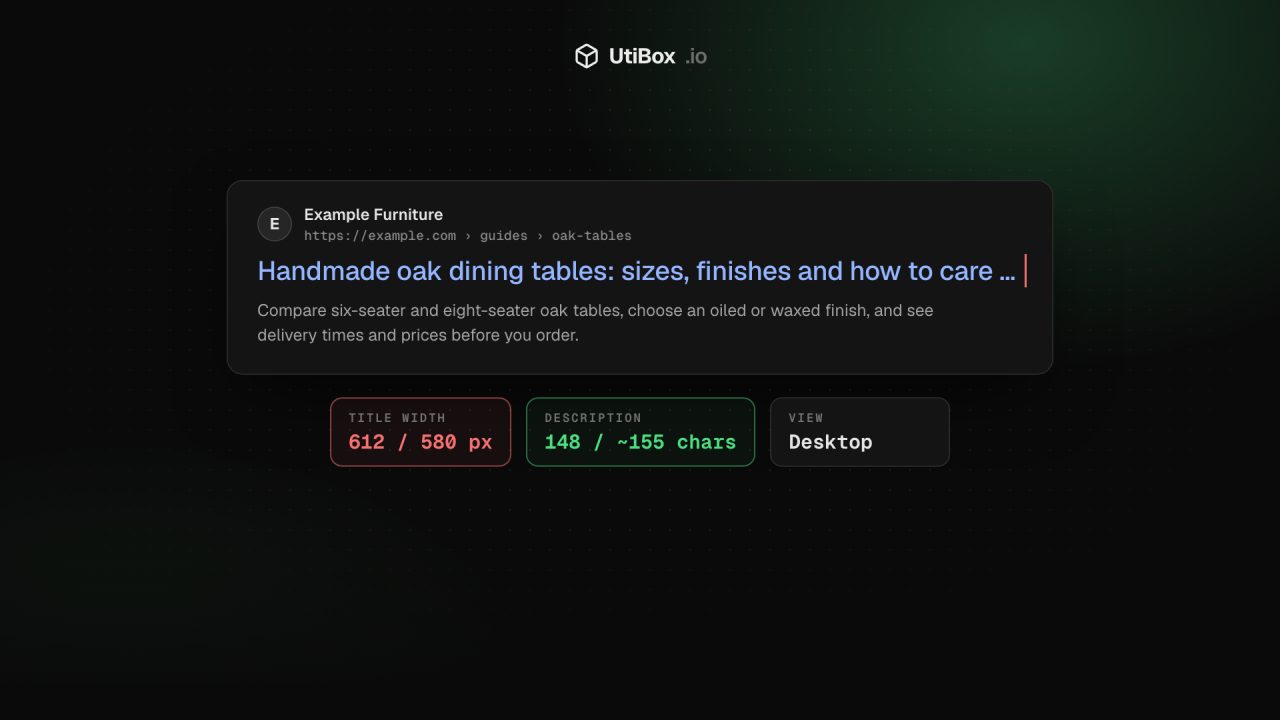
The SERP Preview draws a mock result from the title, URL, description and optional site name you type. It runs in your browser and fetches nothing, so it works for unpublished pages.
- The title counter shows characters and pixel width, measured in 20 px Arial against 580 px. It turns amber near the limit and red past it, where the desktop preview cuts the title with an ellipsis.
- The description counter shows characters against about 155, red past 160 and amber under 70.
- Mobile view uses a narrower layout: descriptions are cut sooner and long titles wrap to a second line.
Pixels matter because letters differ in width: a title full of W and M runs out of room long before one full of i and l.
Step 2: Fit the wording with the Character Counter
Writing in a spreadsheet or CMS field? Paste the text into the Character Counter. Its limits panel has a page title (60) and a meta description (160) line, each showing the characters left or how many over, highlighted when less than a tenth remains. Emoji and accented letters count as one character each, and a UTF-8 byte count helps when a field limits bytes instead.
Step 3: Check the live page with the Meta Tag Checker
Once the page is live, run it through the Meta Tag Checker. It fetches the page from our server, following up to five redirects, and reports:
- The title and description with character counts, with a warning for a title over 60 characters or under 15, and a description over 160 or under 70. A missing description is a warning, not a failure.
- Duplicates: more than one
<title>or meta description, often a theme and an SEO plugin both adding tags. - A noindex rule in the robots meta tag or an
X-Robots-Tagheader, flagged as a failure because it keeps the page out of the index. - Related tags: the canonical link,
og:titleand the number of<h1>headings.
It reads the HTML your server sends without running JavaScript, so tags added by scripts won’t show up, and it reads up to the first 1 MB.
A quick checklist
- Every page has its own
<title>that says what the page is. - The words that matter come first, and the visible
<h1>agrees with the title. - Each important page has a unique, readable description with real facts in it.
- There’s one title, one description and no stray noindex.
Changes aren’t instant: Google has to recrawl and reprocess the page, which “may take a few days to a few weeks.”
Related


More from Guides

How to compare two versions of a text, config file or code, and read the diff
“What changed?” is hard to answer by eye. Here’s how a diff works, when to compare line by line or word by word, and how to read the results in the Diff Checker and Text Compare.

UUIDs explained: v4 vs v7, and when to use them as database IDs
A UUID is a 128-bit ID anyone can create without asking a central server. Here’s how to read one, the difference between random version 4 and time-ordered version 7, and when a UUID is the right…

Base64 vs URL encoding: what each is for, and the mistakes that break things
Base64 and URL encoding both turn data into “safe” characters, but they solve different problems, and neither hides anything. Here’s when to use each, why Base64 isn’t encryption, and the mistakes…


