XML sitemaps search engines can read: limits and common errors
One unescaped character can stop a crawler reading the rest of your sitemap. Here’s what belongs in an XML sitemap, the limits set by sitemaps.org and Google, the errors that break it, and how to validate yours.
Illustration: UtiBox
Your sitemap looks fine in the browser, yet Search Console reports a problem with it, or new pages take far longer to be found than they should. Sitemaps fail quietly. A single bad character can stop the rest of the file being read, and nothing on your site looks broken.
This guide covers what goes in a sitemap, the limits, the errors that break one most often, and how to check yours.
What a sitemap is, and what it isn’t
An XML sitemap is a list of the pages you want search engines to find, with an optional date for when each last changed. The format is defined by the sitemaps.org protocol (opens in a new tab). A minimal one looks like this:
<?xml version="1.0" encoding="UTF-8"?>
<urlset xmlns="http://www.sitemaps.org/schemas/sitemap/0.9">
  <url>
    <loc>https://www.example.com/guides/oak-tables</loc>
    <lastmod>2026-11-02</lastmod>
  </url>
</urlset>
It’s a hint, not an instruction. Google’s sitemap documentation (opens in a new tab) says “submitting a sitemap is merely a hint: it doesn’t guarantee that Google will download the sitemap or use the sitemap for crawling URLs on the site.” A clean sitemap helps pages get found. It can’t force them into results.
What goes in
- Only the URLs you want in search results. If the same content is reachable at several addresses, Google says to choose the one you prefer and list that one.
- Full, absolute URLs. Google says to “use fully-qualified, absolute URLs”, so
https://www.example.com/guides/oak-tables, never/guides/oak-tables. - An honest
lastmod. Google uses it “if it’s consistently and verifiably” accurate. It should reflect the last significant change to the page, such as the main content or links, and not something like an updated copyright year. changefreqandpriorityare optional. The protocol defines them, but Google says plainly: “Google ignores<priority>and<changefreq>values.” Other search engines may treat them differently.
The limits
| Rule | Limit |
|---|---|
| URLs in one sitemap | 50,000 |
| File size | 50 MB (52,428,800 bytes) uncompressed, even if you gzip it |
| Sitemaps listed in one sitemap index | 50,000 |
Length of a <loc> URL | Less than 2,048 characters |
| Encoding | UTF-8, with special characters entity-escaped |
| Hosts | Every URL on the same host and protocol as the sitemap |
All of these come from the sitemaps.org protocol, and Google’s documentation repeats the 50 MB and 50,000-URL limits. Over either one, split the list into several sitemaps and list those in a sitemap index.
Location matters too. Google says that unless you submit it through Search Console, “a sitemap affects only descendants of the parent directory”, so a sitemap at the site root can cover the whole site.
The errors that break sitemaps
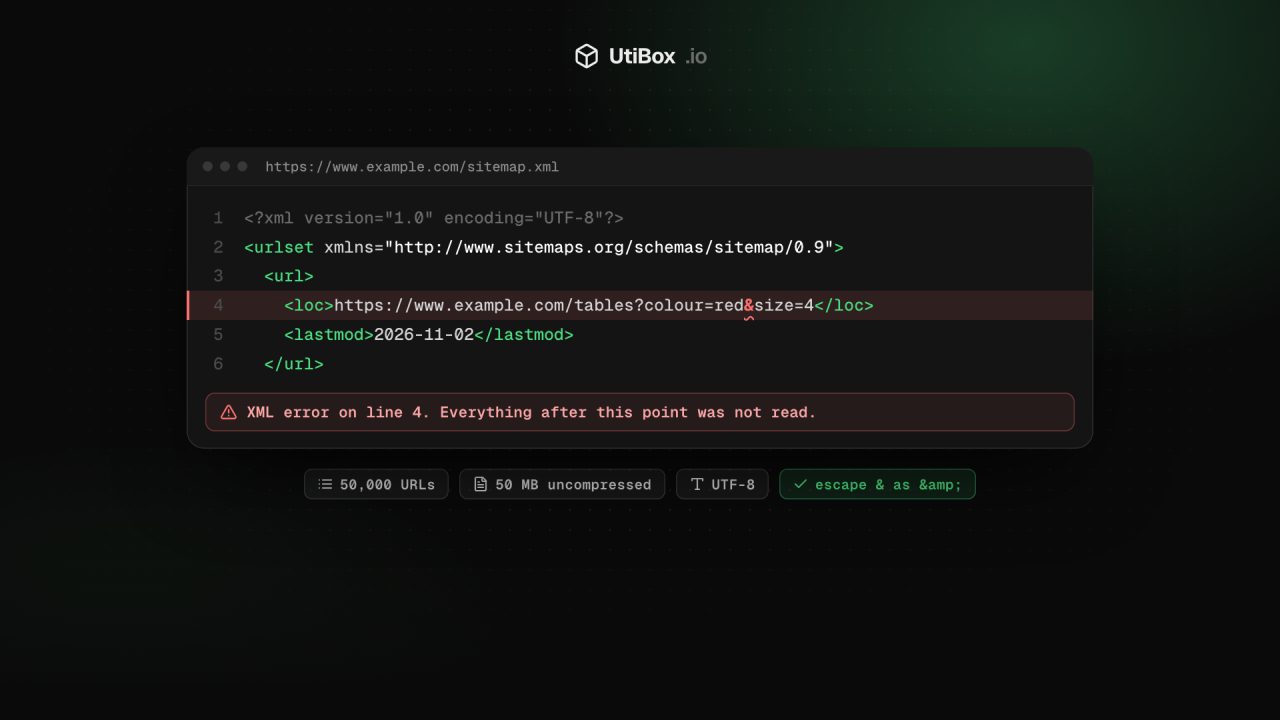
- An unescaped ampersand. A URL like
?colour=red&size=4must be written?colour=red&size=4inside the XML. A bare&or<is an XML syntax error, and a parser stops there. - Relative URLs, usually from a template that prints the path without the domain.
- Dates in the wrong format.
lastmoduses W3C Datetime:2026-11-02or2026-11-02T10:00:00+00:00, never02/11/2026. - Made-up values.
changefreqmust be one of always, hourly, daily, weekly, monthly, yearly or never, andprioritymust be between 0.0 and 1.0. - The wrong host. A sitemap on
https://www.example.comthat listshttps://example.compages, orhttp://ones, after a domain or HTTPS move. - A missing or misspelt namespace on
<urlset>. - A sitemap that isn’t a sitemap: the address answers 404, or redirects to the home page and returns HTML.
Validate with the Sitemap Validator
Paste a sitemap address into the Sitemap Validator and press Validate. If you paste just the site address, it takes the first Sitemap: line in your robots.txt, or tries /sitemap.xml if there isn’t one.
We fetch the file from our server, read up to 5 MB of it (and say so if it’s bigger), and unpack gzip files whatever they’re called. Then:
- The summary shows how many URLs or child sitemaps the file lists, its size and how it was found.
- The stats show the share of entries with a
lastmoddate, and the number of errors and warnings. - Errors break the rules above: a missing
<loc>, a URL that isn’t a full http or https address, a URL over 2,048 characters or containing spaces, a date that isn’t W3C format, or achangefreqorpriorityoutside the allowed values. An XML syntax error is reported with its line number, because nothing after it was read. If the root element isn’t<urlset>or<sitemapindex>, that’s an error too. - Warnings cover duplicate URLs, URLs on a different host, a wrong or missing namespace, an empty sitemap and
lastmoddates more than two days in the future.
For a sitemap index, you get a table of the child sitemaps with a Validate link beside each one. For a plain sitemap, you see the first 15 URLs. If the address returns an error code instead of a file, the validator tells you which code and stops.
Once it passes
- Point to it from robots.txt with a line such as
Sitemap: https://www.example.com/sitemap.xml. Google says the line can go anywhere in the file, and you can list several. The robots.txt Tester lists theSitemap:lines it finds, each linked to the validator. - Submit it to Google in the Search Console Sitemaps report, or with the Search Console API.
- Check again after changes: a new SEO plugin, a CMS upgrade, a move to HTTPS or a new domain. Those are the moments sitemaps quietly break.
Related


More from Guides

How to compare two versions of a text, config file or code, and read the diff
“What changed?” is hard to answer by eye. Here’s how a diff works, when to compare line by line or word by word, and how to read the results in the Diff Checker and Text Compare.

UUIDs explained: v4 vs v7, and when to use them as database IDs
A UUID is a 128-bit ID anyone can create without asking a central server. Here’s how to read one, the difference between random version 4 and time-ordered version 7, and when a UUID is the right…

Base64 vs URL encoding: what each is for, and the mistakes that break things
Base64 and URL encoding both turn data into “safe” characters, but they solve different problems, and neither hides anything. Here’s when to use each, why Base64 isn’t encryption, and the mistakes…


