WarningAlerts
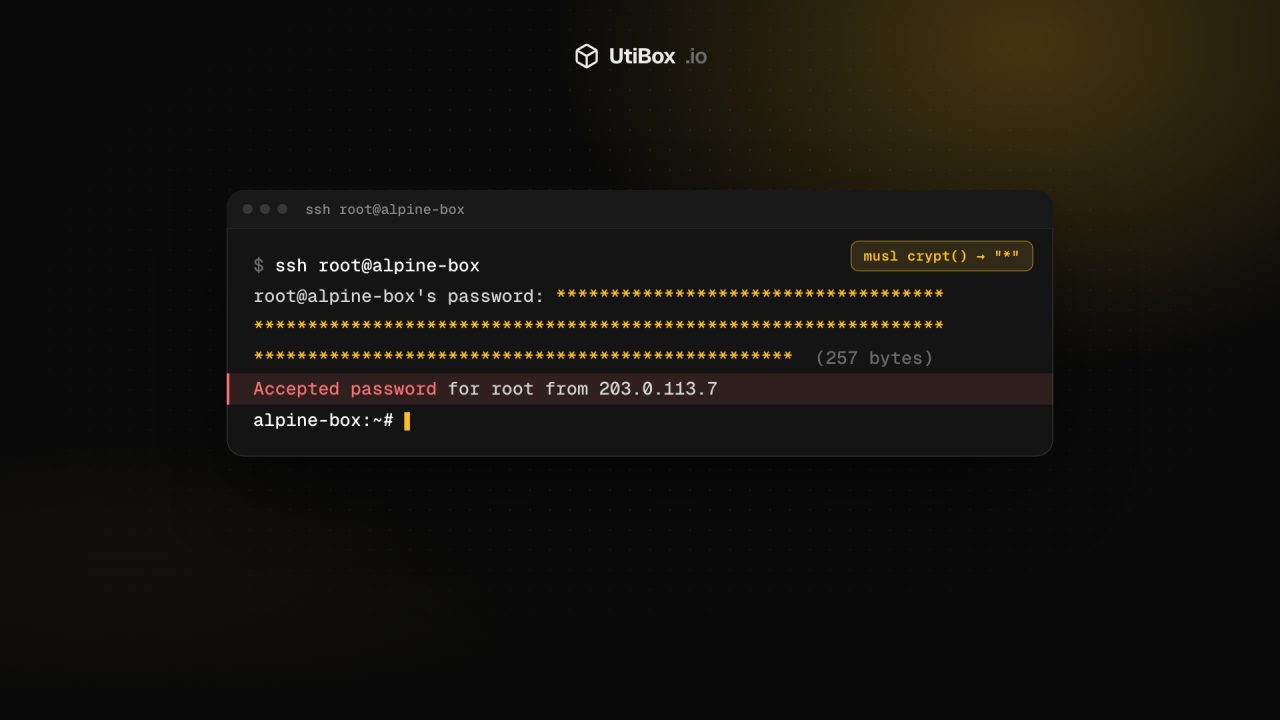
“sshole”: any long password logs in to some Alpine and musl SSH servers
On musl-based systems such as Alpine Linux, OpenSSH without PAM could accept any password longer than 256 characters for accounts that have no password set. Update OpenSSH to 10.6p2 (or Alpine’s fixed package) or turn off password logins.
Illustration: UtiBox
Warning
OngoingOpenSSH “sshole” password bypass on Alpine and other musl systems. Update OpenSSH or disable password logins.
- Started
- Ends
- Not known yet
On this page 7 sections
What happened
On 5 November 2026 the OpenSSH project released OpenSSH 10.6p2 with what it calls a “critical security workaround” for Linux systems that use the musl C library with PAM disabled. The bug is tracked as CVE-2026-123158. Alpine Linux’s security tracker describes it like this:
sshd in OpenSSH before 10.6p2 on Linux, when musl libc is used without PAM, lacks a workaround for a password authentication bypass. For some configurations of accounts, any password between 256 and 1024 characters succeeds.
Alpine Linux security tracker
The bug was found by Özgün Kültekin of the security firm Wakefield, who named it sshole. On affected servers an attacker doesn’t need to guess a password at all: a suitable username and a very long string are enough.
As of 6 November, neither OpenSSH nor Alpine had reported attacks using the bug. The details are public and the attack is trivial, though, so assume scanners are already trying it.
Why a long password works
Three ordinary behaviours line up badly:
- Accounts without a password are stored with
*. Key-only users, some service accounts androoton Alpine have*in the password field of/etc/shadow. Normally no password can ever match it. - Without PAM, sshd checks passwords with
crypt(). It hashes what you typed and compares the result with the stored value. - musl’s
crypt()returns*when it fails, and its SHA-512 hashing refuses passwords longer than 256 characters.
Put together: send a password longer than 256 characters, crypt() fails and returns *, that matches the stored *, and sshd lets you in.
Are you affected?
According to the researcher’s write-up, a server is vulnerable when all of these are true:
- sshd runs on musl libc (Alpine, many Alpine-based Docker images, and Buildroot, Yocto or OpenWrt builds that use OpenSSH instead of Dropbear)
- OpenSSH is built without PAM (Alpine’s default
openssh-serverpackage) or PAM is turned off withUsePAM no - Password logins are enabled (
PasswordAuthentication yesis OpenSSH’s default) - An account has
*as its password (key-only users, orrooton Alpine) - At least one other account has a real password set
The researcher also points out that the default alpine user on Alpine’s official cloud images can become root with doas and no password, so one bypassed login can mean full control.
Not affected: systems built on glibc, such as Debian, Ubuntu and Fedora, and any sshd that uses PAM. Dropbear (the default SSH server on OpenWrt) and OpenBSD aren’t affected either.
How to fix it
Alpine has published fixed openssh packages for every supported branch:
| Alpine branch | Fixed openssh package |
|---|---|
| edge | 10.6_p2-r0 |
| 3.24 | 10.3_p1-r2 |
| 3.23 | 10.2_p1-r1 |
| 3.22 | 10.0_p1-r11 |
| 3.21 | 9.9_p2-r1 |
| 3.20 | 9.7_p1-r6 |
| 3.19 | 9.6_p1-r3 |
apk upgrade -U -a
rc-service sshd restart
apk info -v openssh-server   # confirm the fixed package version
If you build container images on Alpine, rebuild them on the updated base image and redeploy. Running containers keep the old package until they’re replaced. Other musl-based systems should move to OpenSSH 10.6p2.
Can’t update yet? Turn off password logins
This blocks the bug completely, because sshd never calls crypt() for key-based logins. Make sure you can log in with an SSH key first, and keep that session open while you test.
# /etc/ssh/sshd_config.d/00-no-passwords.conf
PasswordAuthentication no
sshd -t && rc-service sshd restartIt’s a good idea anyway. Our SSH hardening checklist covers this and the other settings worth changing.
Check whether someone already got in
Look for password logins to accounts that don’t have a password:
grep "Accepted password" /var/log/messagesAny accepted password for root, alpine or a key-only user is a red flag. Compare each hit with that account’s line in /etc/shadow. Then review recent doas use, newly created users, new entries in authorized_keys files and recently changed files. If you can’t rule out a login, treat the machine as compromised: rebuild it and rotate every secret it held.
Finally, ask whether SSH needs to face the whole internet at all. Limiting port 22 to known addresses with a firewall makes bugs like this far less dangerous.
Sources
Related


More from Alerts

WarningAlerts
WordPress core flaw CVE-2026-119977 is being exploited: update to 7.1.4
CISA says attackers are exploiting a WordPress core bug that lets anyone run code on the server while a core upgrade is in progress. Every version from 4.7 to 7.1.3 is affected. Make sure each site…

WarningAlerts
Patch PHP now: the “php2shell” flaws are under active attack
Two remote code execution bugs in PHP itself, CVE-2026-109618 and CVE-2026-109619, are on CISA’s list of exploited vulnerabilities. Update to PHP 8.5.12, 8.4.27, 8.3.36 or 8.2.35, then restart PHP.

WarningAlerts
Ivanti Connect Secure zero-days gave attackers root on VPN gateways
Attackers chained three Ivanti Connect Secure flaws to get root on VPN appliances without logging in, starting on 3 October. The 13 October update doesn’t fix two of them. Update to 25.1.1.3 or…


