Leaked an API key? How to rotate secrets without breaking production
Your hosting platform was breached, a .env file reached GitHub or a laptop went missing. Here’s the order to rotate secrets in, how to swap keys without downtime, what to check afterwards and how to make the next leak hurt less.
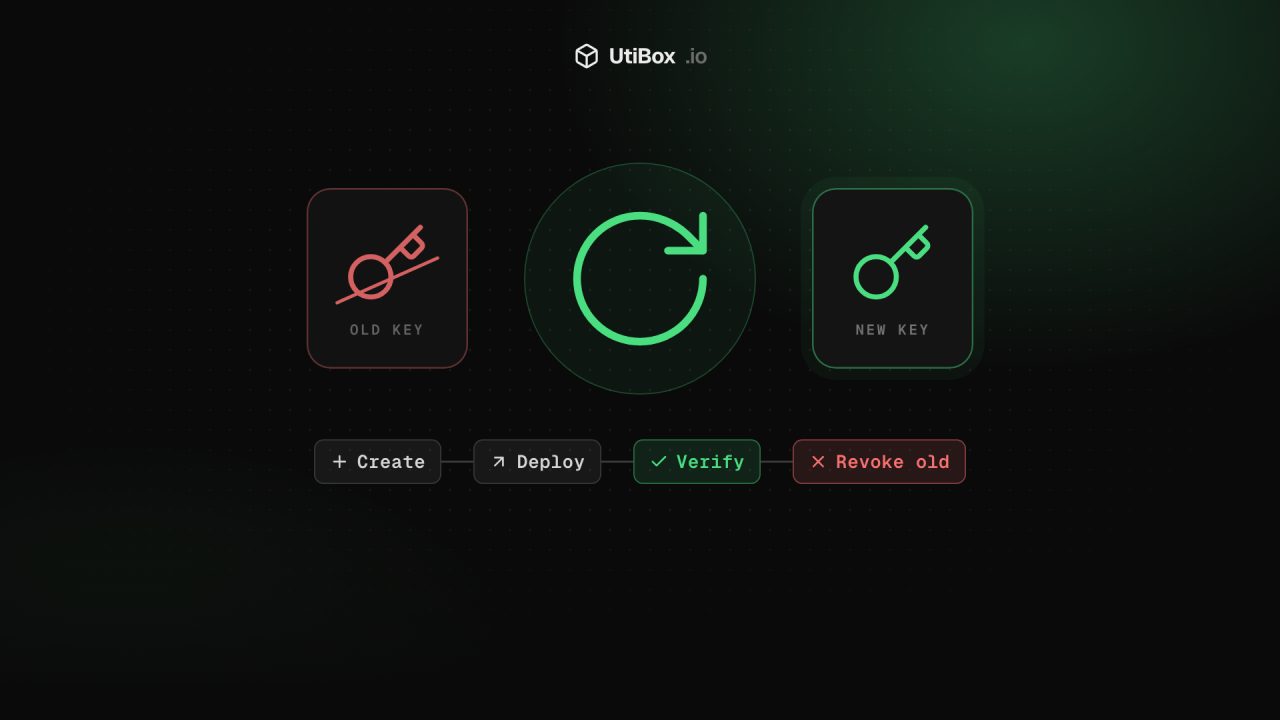
Illustration: UtiBox
It happens to careful teams too. A platform you deploy on is breached (as several were in October), a .env file slips into a public repository, or a laptop with saved credentials disappears. What you do in the first few hours matters most.
Step 1: List every secret that was exposed
Write the list down before you touch anything. Look in:
- Environment variables on the affected platform: per service, per environment, and shared or “global” groups
- CI/CD secrets (GitHub Actions, GitLab CI and so on) if the pipeline was involved
.envfiles, config files anddocker-compose.ymlfiles in the leaked repository, including old commits- Anything the exposed secrets can reach: a cloud key that can read your secrets manager has effectively leaked everything inside it
For each secret, note what it unlocks, where it’s used and who can rotate it.
Step 2: Rotate in order of damage
Start with what can do the most harm fastest:
- Cloud provider credentials (AWS, Google Cloud, Azure keys): they can create infrastructure, read data and run up huge bills.
- Keys that spend money: payment providers, and AI model APIs, which attackers resell or run on your bill.
- Database passwords and connection strings, especially for databases reachable from the internet.
- Signing keys: JWT secrets, session secrets, webhook signing secrets.
- Everything else: email, SMS, analytics and third-party integrations.
Step 3: Swap keys without downtime
Most services allow two active keys at once. Use that to avoid an outage:
- Create a new key alongside the old one.
- Deploy the new key everywhere it’s used.
- Verify that traffic is using the new key. Many providers show a “last used” time per key.
- Revoke the old key. Adding a new key without revoking the old one changes nothing for the attacker.
Some secrets need extra care:
- Database passwords: if you can, create a second database user, switch the app to it, then disable the old user. Otherwise change the password and redeploy in one short maintenance window.
- JWT and session signing keys: changing them logs everyone out. If your tokens carry a
kid(key ID) header, publish the new key, start signing with it, and accept the old one only until existing tokens expire. Our JWT Decoder shows a token’s header and itsexptime, so you know how long that window is. - Webhook secrets: most providers let you roll the signing secret with a grace period in which both are valid.
Need fresh random secrets? Generate them locally:
openssl rand -base64 32Or use our Password Generator, which runs in your browser, so the value is never sent to us.
Step 4: Look for abuse
Once the keys are rotated, find out what happened while they were exposed:
- Billing and usage dashboards for cloud and AI providers. Look for spikes, new regions or models you don’t use.
- Audit logs for new users, new API keys, changed permissions or new compute instances. Attackers often create their own credentials so they can return after you rotate yours.
- Database logs for unusual connections or large exports.
- Your code and deploy history for commits or deployments nobody remembers making.
If you find abuse, contact the provider quickly. Many will help with fraudulent charges when you report them promptly.
Step 5: Clean up the leak itself
If a secret reached a Git repository, deleting the file isn’t enough: it stays in the history, and in every clone and fork. Rotation is the real fix. Rewriting history (with git filter-repo) only stops the old value from turning up in future clones. Scan for anything else that slipped in, using tools such as gitleaks or TruffleHog, and turn on your Git host’s secret scanning and push protection so the next one is blocked before it’s pushed.
Make the next leak hurt less
- Least privilege: give each key only the permissions it needs, and one key per service, so one leak doesn’t unlock everything.
- Spending limits and billing alerts on everything that’s billed by usage.
- Short-lived credentials: let CI pipelines and workloads get temporary cloud credentials through OIDC or workload identity instead of storing long-lived keys.
- One source of truth: keep secrets in a secrets manager and inject them at deploy time, so you know where every one lives.
- Practise. If rotating everything would take a week, rotate one low-risk key now and write down the steps. You’ll be glad of the notes on the bad day.
Related


More from Guides

Heading structure: one H1, no skipped levels, and why it matters
Headings are how readers skim a page and how assistive technology moves around it. Here’s what the HTML standard and WCAG ask for, what Google actually says about headings, and how to check any…

How to write titles and meta descriptions that fit Google’s search results
Google cuts titles and snippets to fit the screen, and sometimes writes its own. Here’s what Google’s documentation actually says, and how to draft, count and check yours before and after a page…

UUIDs explained: v4 vs v7, and when to use them as database IDs
A UUID is a 128-bit ID anyone can create without asking a central server. Here’s how to read one, the difference between random version 4 and time-ordered version 7, and when a UUID is the right…


