Google’s November 2026 core update: what to watch and when to check
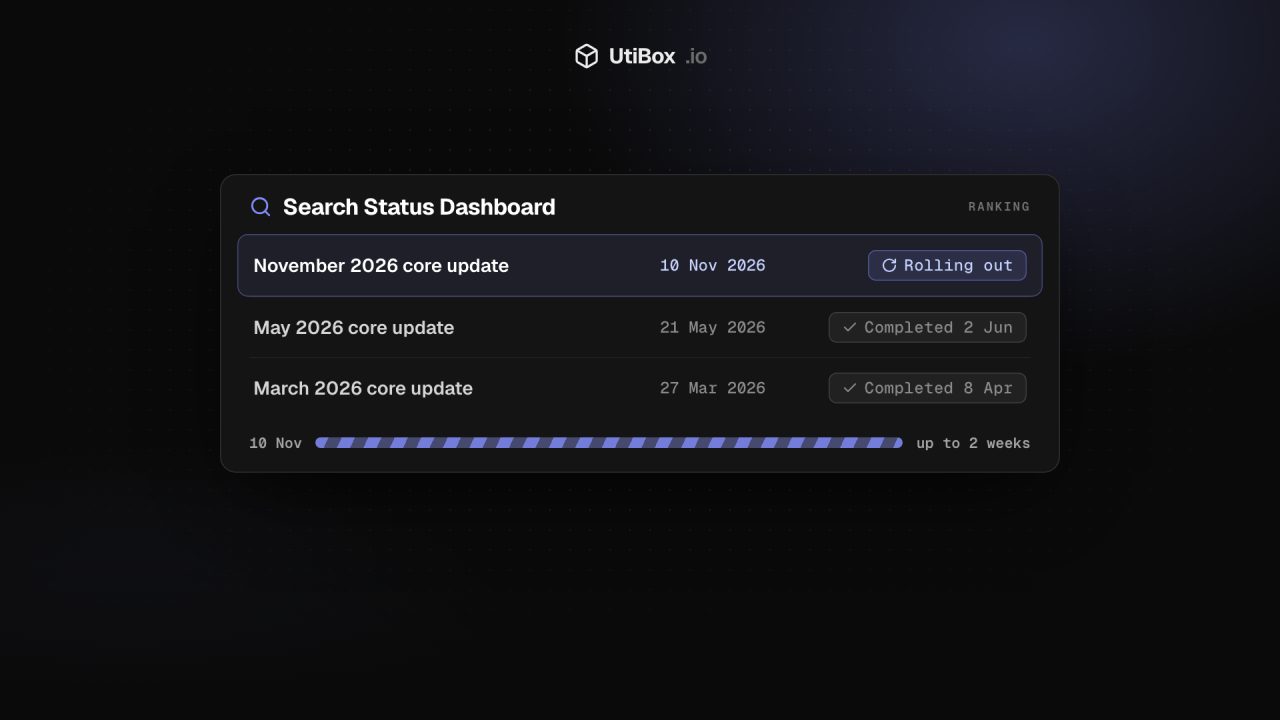
Google started its November 2026 core update on 10 November and says the rollout may take up to two weeks. Here’s how to follow it, why you should wait before judging your traffic, and what to rule out first.
Illustration: UtiBox
Google started a broad change to its search rankings on 10 November 2026. At 10:07 US Pacific time (18:07 UTC) its Search Status Dashboard posted:
Released the November 2026 core update, which applies globally and to all languages. The rollout may take up to 2 weeks to complete.
Google Search Status Dashboard, 10 November 2026
As of 11 November, Google hadn’t published anything more about it on the dashboard or the Search Central blog. Google describes core updates as changes that are “broad in nature” and “don’t target specific sites or individual web pages”. So this post doesn’t guess at winners and losers. It explains how to follow the rollout, and how to judge your own numbers once it’s over.
The third core update of 2026
The dashboard’s ranking history lists two earlier core updates this year. Both took about twelve days:
| Update | Started | Google marked it complete |
|---|---|---|
| March 2026 core update | 27 March | 8 April |
| May 2026 core update | 21 May | 2 June |
| November 2026 core update | 10 November | Not marked complete as of 11 November (“up to 2 weeks”) |
Two weeks from 10 November is 24 November, but that’s a ceiling Google gave, not a finish date. Until the dashboard says the rollout is complete, the update is still in progress, which is why Google tells site owners to wait before analysing anything (more on that below).
How to follow the rollout
- Watch the dashboard entry. The incident page gets a new line when the rollout ends. For the May update it read: “The rollout was complete as of June 2, 2026.”
- Subscribe to the feed. Google publishes the dashboard as a feed at
https://status.search.google.com/en/feed.atom. Put it in any feed reader and you’ll hear when this update ends, and when the next one starts, without checking by hand. - Use the Summary page later. Google keeps the issues and updates it posts there for five years, so you can look up exact dates when comparing data months from now.
The same dashboard also reports problems with Google’s crawling, indexing and serving systems. If your traffic dips while an incident is open there, that’s worth knowing before you blame the update.
When to look at your own numbers
Google’s core update guidance is specific about timing:
- Confirm the update has finished. Note its start and end dates on the dashboard.
- Wait at least a full week after it completes. Then, in Search Console’s Performance report, compare a week after the update with a week before it started rolling out.
- Review your top pages and queries, and decide whether any drop is small or large.
Google’s examples: falling from position 2 to 4 is a small drop, and it says “we recommend avoiding making changes to content that’s already performing well”. Falling from position 4 to 29 is a large drop that deserves a deeper look. Check Web Search, Images, Video and News separately, to see where a drop actually happened.
If the update ends on or near 24 November, that extra week takes you into December. Set a calendar reminder rather than refreshing Search Console every morning.
Rule out the ordinary causes first
It’s tempting to blame any dip on a core update while one is running. Google’s guide to debugging traffic drops lists other causes worth ruling out: technical problems (the server being down, robots.txt fetch failures, a misplaced noindex), security issues, spam manual actions, seasonal changes in interest and site moves. Search Console’s Crawl stats, Page indexing, Security issues and Manual actions reports cover most of them.
Some free checks help too:
- The Meta Tag Checker reads a page’s robots meta tag and its
X-Robots-Tagheader, and warns if either saysnoindex. - The Robots.txt Tester tells you whether Googlebot may fetch a given path under your current robots.txt.
- The Website Health Report checks DNS, the connection, the certificate and the HTTP response in one go. Read its verdict first, then each layer.
If all of that is clean and the drop lines up with the update, it’s time for Google’s self-assessment.
If you were hit hard
For a large, sustained drop across the whole site, Google suggests assessing the site as a whole, not single pages, against its questions about helpful, reliable, people-first content. It also suggests asking people you trust who aren’t connected to the site to assess it too. Google warns against “quick fix” changes made because you heard something was bad for SEO, and calls deleting content “a last resort”.
Expect recovery to be slow. Google says some changes take effect in a few days, but “it could take several months” for its systems to confirm that a site has improved, and there is “no guarantee” that your changes will have a noticeable effect. It also makes smaller core updates between the named ones, which it doesn’t announce, so improvements don’t always have to wait for the next big update.
Check a page for noindex and other tag problems
Sources
- Google Search Status Dashboard: November 2026 core update (10 November 2026) (opens in a new tab)
- Google Search Status Dashboard: Summary and history (opens in a new tab)
- Google Search Central: Google Search’s core updates and your website (opens in a new tab)
- Google Search Central: Debugging drops in Google Search traffic (opens in a new tab)
- Google Search Central: Using the Google Search Status Dashboard (opens in a new tab)
Related


More from News

Apple services disrupted on November 17: what happened to iCloud, the App Store and Apple Music?
An internal update knocked out iCloud sign-in, the App Store, Apple Music and more on Tuesday, 17 November. Apple says it wasn’t a cyberattack, and its status page showed everything resolved by 6…

N-able Mail Assure and SpamExperts security incident: what customers should know
N-able says someone gained unauthorized access to one server in its Mail Assure and SpamExperts Hosted Cloud. Mail flow and filtering continue; dashboards, the API and quarantine are offline while…

Chrome adds Global Privacy Control: what Sec-GPC means for your site
Chrome 157 lets users in California send an opt-out request to every site they visit, as a Sec-GPC header. If your site sells or shares personal data for advertising, here’s what the signal is,…


