WarningAlerts
Nextcloud’s Built-in CODE Server is being exploited: update or remove it
A command injection bug in the Collabora Online Built-in CODE Server app for Nextcloud was exploited in September and October 2026. Disabling the app doesn’t protect you. Update it to 26.4.303 or later, or remove it, then check the server for web shells.
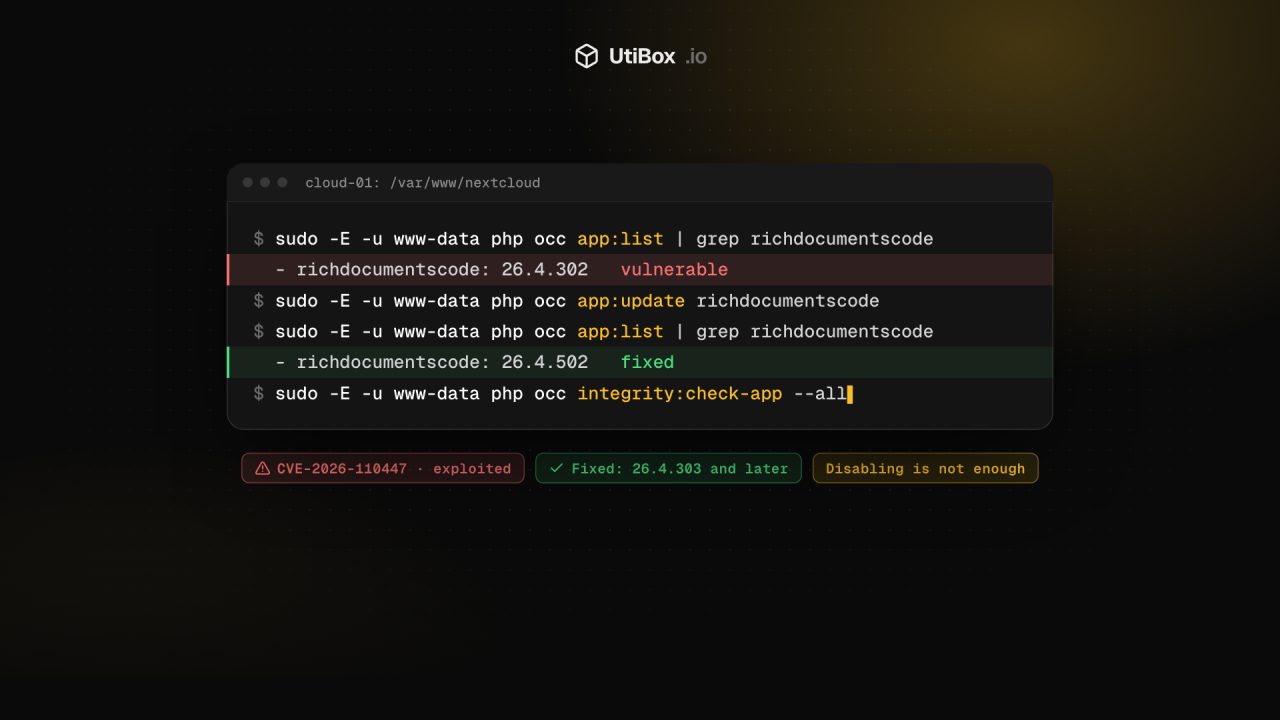
Illustration: UtiBox
Warning
OngoingNextcloud Built-in CODE Server flaw CVE-2026-110447 is being exploited. Update richdocumentscode to 26.4.303 or later, or remove it.
- Started
- Ends
- Not known yet
What happened
Nextcloud can edit office documents through Collabora Online. One way to set that up is the Built-in CODE Server app, richdocumentscode, which runs a copy of Collabora inside your Nextcloud server instead of a separate one.
That app had a bug in its proxy.php file. According to the CVE record, versions before 26.4.303 allow remote code execution “as exploited in the wild in September and October 2026”. Collabora’s own advisory, published on 14 October 2026, says “a request can cause an operating system command to run as the web server user”. It rates the bug Critical, with a CVSS 4.0 score of 9.2.
On 23 October 2026 CISA added CVE-2026-110447 to its Known Exploited Vulnerabilities (KEV) catalog, with a deadline of 26 October for US federal agencies.
The catch: it bites after a restart
The attack only works while the built-in CODE server isn’t running. The advisory gives examples: a container restart, an upgrade, or a crash. A server that has been up for weeks can become exploitable the moment it reboots.
That’s also why turning the app off doesn’t help. The advisory is explicit: “It is not sufficient to disable the app to avoid the problem, it must be upgraded to >= 26.4.303 or removed.”
Who is affected
| Set-up | Affected? |
|---|---|
Nextcloud with the richdocumentscode app before 26.4.303, enabled or disabled | Yes |
| Nextcloud using a separate, standalone Collabora Online server | No (the advisory says standalone servers aren’t affected) |
Nextcloud 29 or older with richdocumentscode | Yes, and recent app versions need Nextcloud 30 or later, so upgrade Nextcloud or remove the app |
The fixed release, 26.4.303, has been on GitHub since 11 September 2026. Collabora has released 26.4.402 and 26.4.502 since then. A server that updates its apps regularly may already be fixed, but check rather than assume.
How to check and update
Run these as the web server user from your Nextcloud folder. The commands come from Nextcloud’s administration manual. Adjust www-data and the path to match your system.
# Which version is installed?
sudo -E -u www-data php occ app:list | grep richdocumentscode

# Update it ...
sudo -E -u www-data php occ app:update richdocumentscode

# ... or, if you don't use it, remove it completely
sudo -E -u www-data php occ app:remove richdocumentscode
In the web interface, the same app appears under Apps as “Collabora Online - Built-in CODE Server”.
Look for signs of compromise
The attacker’s commands run as the web server user, which can read your Nextcloud configuration (database password included) and write files into the Nextcloud folder. If the app was installed before you updated it, especially across a reboot or upgrade during September or October, work through these checks (our suggestions):
Integrity checks. Nextcloud can compare apps and core files against their signatures. No output means the files match. Unexpected extra .php files are a strong sign of a web shell.
sudo -E -u www-data php occ integrity:check-app --all
sudo -E -u www-data php occ integrity:check-core
Access logs. Look for requests to richdocumentscode/proxy.php that contain shell syntax, such as $( or its URL-encoded form %24%28. Use your Apache log path if you run Apache.
sudo zgrep -h 'richdocumentscode/proxy.php' /var/log/nginx/access.log* | grep -E '\$\(|%24%28'Everything else. Look for recently changed PHP files in the Nextcloud folder that you can’t explain, and for new cron jobs or processes owned by the web server user.
If you find anything, treat the server as compromised. Back up your data, rebuild Nextcloud from a clean install, and restore only data, not code. Then rotate everything the web server could read: the database password, mail and external storage credentials, and API tokens for other services. Ask users to change their passwords and app passwords. Our guide to rotating leaked secrets covers the order to do it in.
Longer term
The Built-in CODE Server is the quick option. For anything beyond a small or test install, running Collabora as its own service (a container or a distribution package) keeps Nextcloud’s PHP process from starting and managing another server. That is the set-up this bug didn’t affect.
Sources
- Collabora Online security advisory GHSA-g3vx-3m76-fghh (14 October 2026) (opens in a new tab)
- CVE record: CVE-2026-110447 (opens in a new tab)
- CISA: CISA Adds One Known Exploited Vulnerability to Catalog (23 October 2026) (opens in a new tab)
- richdocumentscode releases (26.4.303, 11 September 2026; 26.4.502, 23 October 2026) (opens in a new tab)
- Nextcloud admin manual: apps commands (opens in a new tab)
- Nextcloud admin manual: integrity check commands (opens in a new tab)
Related


More from Alerts

ResolvedAlerts
Microsoft 365 outage resolved: Outlook, Teams and SharePoint are back
Microsoft has cleared the Microsoft 365 incident that cut users off from Exchange Online, Teams, SharePoint and more. It reports sustained recovery and says an earlier network capacity upgrade was…

ResolvedAlerts
Microsoft 365 outage: Exchange Online, Teams and SharePoint among services hit
Microsoft says users may be unable to connect to multiple Microsoft 365 services, including Exchange Online, Teams and SharePoint Online. Servers it returns to service are going unresponsive again…

WarningAlerts
“sshole”: any long password logs in to some Alpine and musl SSH servers
On musl-based systems such as Alpine Linux, OpenSSH without PAM could accept any password longer than 256 characters for accounts that have no password set. Update OpenSSH to 10.6p2 (or Alpine’s…


