Unix timestamps explained: seconds vs milliseconds, time zones and 2038
A log says 1794398400, a database says 1794398400000, and a scheduled job runs an hour early. Here’s what a Unix timestamp really is, how to tell the units apart, where time zones come in and what the 2038 problem means for your systems.
Illustration: UtiBox
A log line says 1794398400. The same moment sits in a database column as 1794398400000. A report shows it as 21 January 1970, and a scheduled job runs an hour early. Each of those is a Unix timestamp problem, and each takes a minute to sort out once you know what the number means.
What a Unix timestamp is
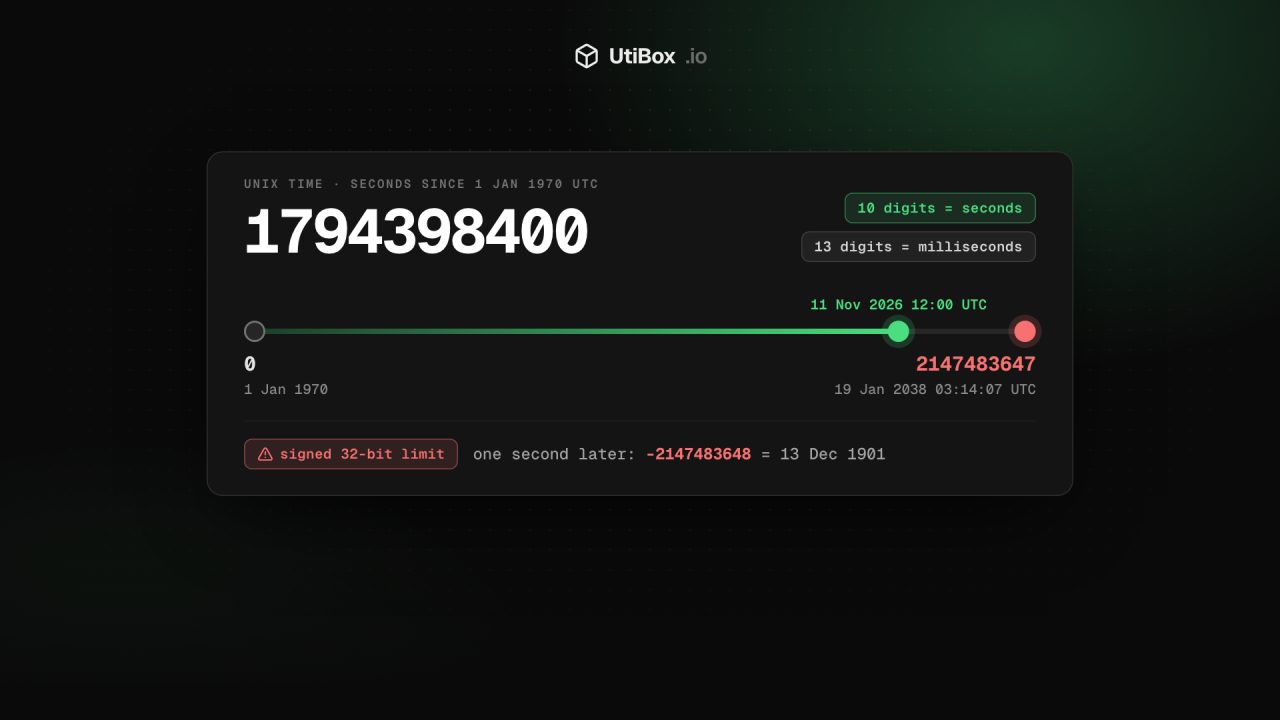
A Unix timestamp counts the seconds since 00:00:00 UTC on 1 January 1970, a moment known as the epoch. Leap seconds aren’t counted. 1794398400 is 12:00:00 UTC on 11 November 2026.
The important part: the number has no time zone. At any given moment it is the same everywhere in the world. Time zones only come in when you turn the number into a date for a person to read.
That makes timestamps easy to store, sort and compare, which is why logs, databases, APIs and tokens use them. The exp claim in a JSON Web Token, for example, is a timestamp in seconds.
Seconds, milliseconds and smaller
Different systems count in different units, and the number of digits gives it away:
| Unit | Digits in 2026 | Example | Common in |
|---|---|---|---|
| Seconds | 10 | 1794398400 | date +%s, PHP time(), JWTs, many database columns |
| Milliseconds | 13 | 1794398400000 | JavaScript Date.now(), Java, many JSON APIs |
| Microseconds | 16 | 1794398400000000 | Some databases and tracing tools |
| Nanoseconds | 19 | 1794398400000000000 | Go’s UnixNano(), some logging systems |
Mixing them up gives two classic symptoms:
- Seconds read as milliseconds land in January 1970:
1794398400read as milliseconds is 21 January 1970. - Milliseconds read as seconds land tens of thousands of years ahead:
1794398400000read as seconds falls in the year 58,832.
If a date in your app is stuck in 1970, or absurdly far in the future, check the unit before anything else.
Converting without the maths
Paste the number into Timestamp to date on the Unix Timestamp Converter. It detects the unit from the size of the number and tells you which one it assumed, for example “Read as milliseconds.” Then it shows the same moment several ways:
- your local time, labelled with the time zone your device reports;
- UTC;
- ISO 8601, the form many APIs use, such as
2026-11-11T12:00:00.000Z; - a relative time, such as “3 days ago” or “in 2 hours”;
- the value in both seconds and milliseconds.
Detection goes by size, so very early dates are ambiguous: a millisecond value from before March 1973 is small enough to look like seconds. Pick the unit from the Unit list and the result updates. The box also accepts decimals, and negative numbers for dates before 1970.
The panel at the top shows the current Unix time in seconds, milliseconds and ISO 8601, updated every second. Copy seconds grabs “now” for a test or a query, and Pause freezes the display. Everything runs in your browser; nothing is sent to our server.
Where time zones go wrong
Because the timestamp has no zone, bugs creep in when a local time is turned into a number. 09:00 in London and 09:00 in Nassau are different moments, five hours apart in November, so they give two different timestamps.
In Date to timestamp, pick a date and time, then choose My time zone or UTC. Switch between the two and watch the number change: that gap is exactly the bug when a job fires at the wrong hour. A local time was entered where UTC was expected, or the other way round.
A few habits prevent most of these bugs:
- Store and send timestamps or UTC times, and convert to local time only when you show a date to a person.
- When you write a time as text, include the offset:
2026-11-11T12:00:00Z, not2026-11-11 12:00. - Take care with jobs scheduled in local time around clock changes. When the clocks go back, some local times happen twice; when they go forward, some never happen at all.
The year 2038 problem
Many older systems store the timestamp as a signed 32-bit integer. The largest value it can hold is 2147483647, which is 03:14:07 UTC on 19 January 2038. One second later the number wraps round to -2147483648, which reads as 20:45:52 UTC on 13 December 1901.
Modern operating systems and languages use 64-bit time, which pushes the limit billions of years away. The risk lives in the places that were never updated:
- database columns declared as a 32-bit
INT, and date column types whose documented range ends in 2038 (check the documentation for the version you run); - file formats and network protocols with a fixed 32-bit time field;
- older embedded devices, routers and industrial systems that are rarely replaced.
Dates after 2038 are already in use: a 25-year mortgage taken out in 2026 ends in 2051. To test a system, enter 2038-01-19 03:14:08 in Date to timestamp with UTC selected. You get 2147483648, one more than a signed 32-bit integer can hold. Save a date like that through your app and see what comes back.
Related


More from Guides

HTTP status codes explained for site owners: 2xx, 3xx, 4xx and 5xx
Every response starts with a three-digit code that browsers mostly hide but search engines and uptime monitors read first. Here’s what each family means, how Google’s crawlers treat them, and what…

XML sitemaps search engines can read: limits and common errors
One unescaped character can stop a crawler reading the rest of your sitemap. Here’s what belongs in an XML sitemap, the limits set by sitemaps.org and Google, the errors that break it, and how to…

Heading structure: one H1, no skipped levels, and why it matters
Headings are how readers skim a page and how assistive technology moves around it. Here’s what the HTML standard and WCAG ask for, what Google actually says about headings, and how to check any…


