How to check an SSL certificate, and get ready for 47-day certificates
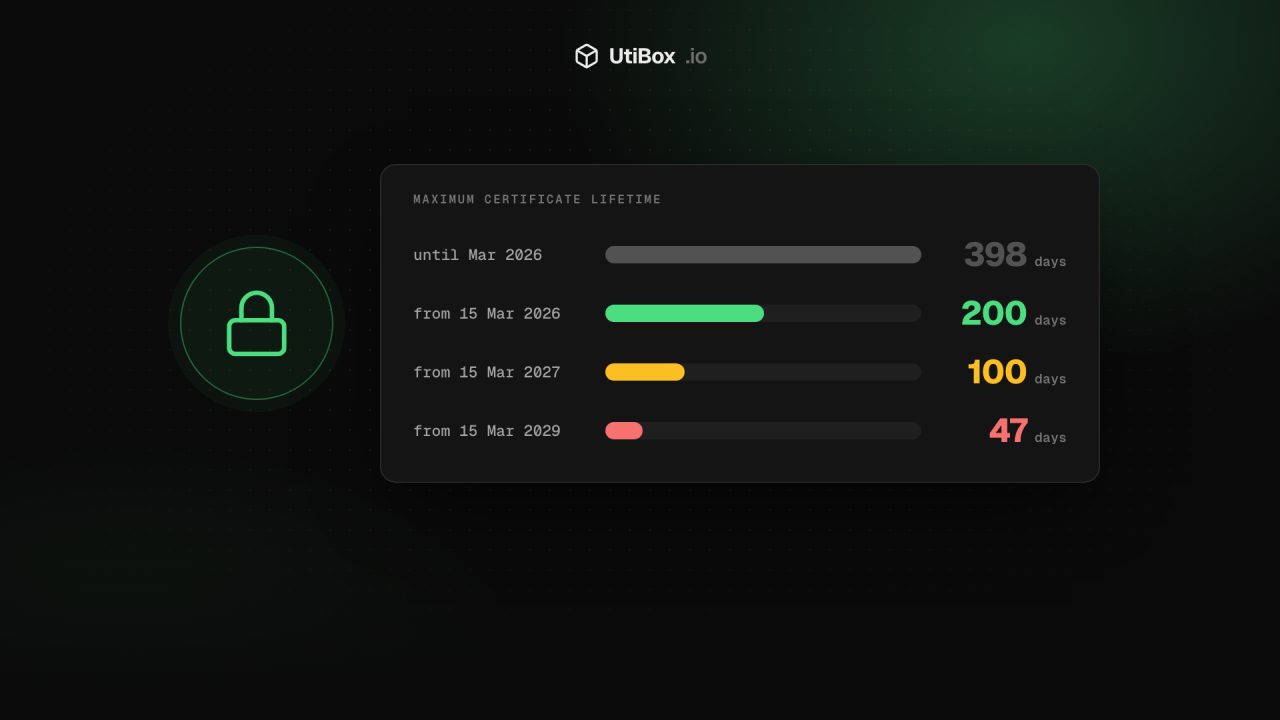
Certificates bought today last at most 200 days, falling to 100 days in March 2027 and 47 days in 2029. Here’s how to check a certificate properly, the five problems that cause browser warnings, and how to automate renewals before the deadlines arrive.
Illustration: UtiBox
An expired or misconfigured certificate is one of the few website problems that every visitor sees at once, as a full-page browser warning. And in 2026 certificates started expiring much more often.
Certificates are getting shorter
The CA/Browser Forum, where browser makers and certificate authorities agree the rules for public certificates, is steadily cutting how long a certificate may be valid. The first cut took effect on 15 March 2026:
| Certificates issued on or after | Maximum lifetime | Domain validation can be reused for |
|---|---|---|
| Before 15 March 2026 | 398 days | 398 days |
| 15 March 2026 | 200 days | 200 days |
| 15 March 2027 | 100 days | 100 days |
| 15 March 2029 | 47 days | 10 days |
So any certificate issued today lasts at most 200 days. If you renew by hand once a year, that habit is already broken. From 2029 a certificate will need replacing roughly every six weeks, which only works if it’s automated.
How to check a certificate in seconds
Type your domain into our SSL Certificate Checker. It connects to your server on port 443 from our server, reads the certificate exactly as a visitor’s browser would receive it, and shows:
- Days left, the number to watch. The verdict changes to “Expires soon” at 14 days or fewer.
- The names it covers. Is
wwwincluded? What about the bare domain? - Who issued it, and whether the chain leads back to a trusted authority.
- Problems in plain words, such as a name mismatch or a missing intermediate certificate.
Prefer the command line? This shows the dates, issuer and names:
openssl s_client -connect example.com:443 -servername example.com </dev/null 2>/dev/null \
  | openssl x509 -noout -dates -issuer -subject -ext subjectAltName
Always include -servername. Without it, a server hosting several sites may send you a different certificate from the one your visitors get.
The five problems behind most browser warnings
1. It expired
The classic. Usually a renewal job silently failed weeks ago, or a certificate was installed by hand and forgotten. Fix: renew, then work out why the automatic renewal didn’t happen.
2. It doesn’t cover the name being visited
A certificate for example.com doesn’t cover www.example.com unless it lists both, and a wildcard like *.example.com covers shop.example.com but not example.com itself or a.b.example.com. Fix: reissue with every name you serve listed.
3. The chain is incomplete
Your server must send its own certificate plus the intermediate certificates that link it to a trusted root. Desktop browsers sometimes paper over a missing intermediate, while phones, curl, payment gateways and API clients often don’t, so a site can “work for me” and fail for everyone else. Fix: install the full chain file your authority provides (with certbot, point your server at fullchain.pem, not cert.pem).
4. The wrong certificate is served
On shared IP addresses the server picks a certificate based on the name the browser asks for (SNI). A missing or mistyped server block often means visitors get the default site’s certificate. Fix: check that each site’s configuration names its own certificate files, then test with the checker above.
5. Old or broken intermediates after a change
After moving hosts, changing CDN or switching certificate authority, an old intermediate or a cached chain can linger. Fix: re-check the live site from outside after every infrastructure change, not just after renewals.
Automate renewals with ACME
With lifetimes this short, renewal has to be a machine’s job. The ACME protocol, used by Let’s Encrypt and supported by most commercial authorities, lets a client prove you control the domain and fetch a new certificate automatically.
- Caddy obtains and renews certificates by itself, with no extra setup.
- Certbot installs a timer that renews certificates before they expire. Test it with
sudo certbot renew --dry-run. - acme.sh, lego and cert-manager for Kubernetes do the same for other setups.
Renew when roughly a third of the lifetime is left, so a failed renewal leaves you time to notice and fix it.
Monitor, don’t assume
Automation fails quietly: an expired DNS API token, a firewall rule that blocks the validation request, a full disk. And don’t rely on your inbox: Let’s Encrypt no longer sends expiry reminder emails. Put a recurring reminder in your calendar to run the SSL Certificate Checker on your important domains, or add certificate expiry to whatever monitoring you already use.
For a broader view of a site, the Website Health Report checks DNS, the connection, the certificate, the HTTP response, redirects and six security headers in one go.
Sources
Related


More from Guides

Heading structure: one H1, no skipped levels, and why it matters
Headings are how readers skim a page and how assistive technology moves around it. Here’s what the HTML standard and WCAG ask for, what Google actually says about headings, and how to check any…

How to write titles and meta descriptions that fit Google’s search results
Google cuts titles and snippets to fit the screen, and sometimes writes its own. Here’s what Google’s documentation actually says, and how to draft, count and check yours before and after a page…

UUIDs explained: v4 vs v7, and when to use them as database IDs
A UUID is a 128-bit ID anyone can create without asking a central server. Here’s how to read one, the difference between random version 4 and time-ordered version 7, and when a UUID is the right…


